
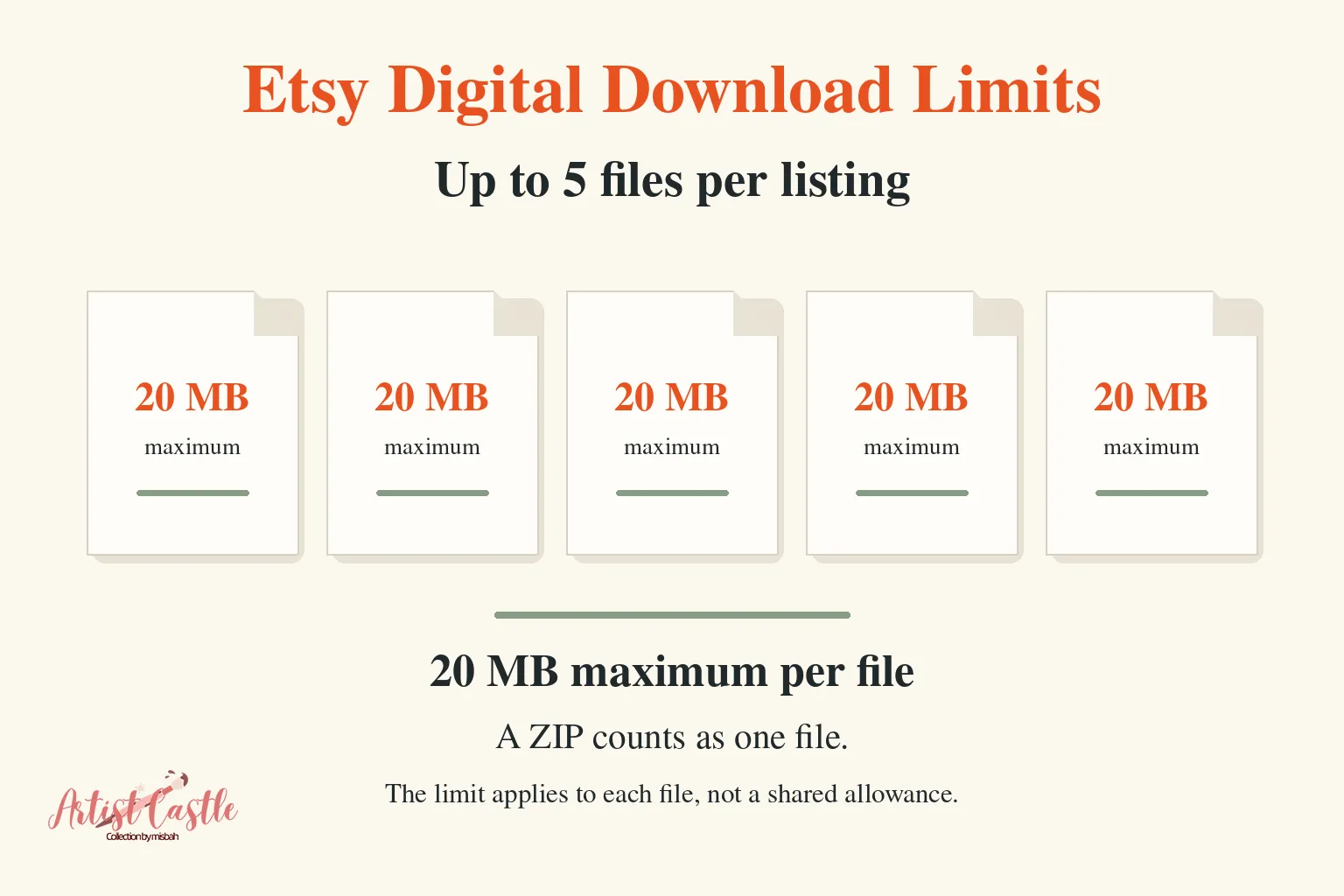
Short answer: Etsy lets you attach up to five files to an instant-download listing, and each file can be up to 20 MB. A ZIP counts as one of those files, so zipping a bundle does not raise the limit. If your files are too big, first make them smaller without changing the print dimensions you promise. If that is not enough, repackage the files across the five slots. Some sellers also deliver a PDF containing a link to hosted files. Etsy’s published pages do not specifically address that method, so read the risks below before you use it.
What are Etsy’s digital download limits?
According to Etsy’s Help Center, you can upload up to five digital files to an instant-download listing, and each file can be up to 20 MB. The same limits apply when you complete a made-to-order digital order.
A few related rules matter when you plan a download:
- File names can use up to 70 letters, numbers, periods, underscores and hyphens.
- Buyers see the same file names you upload, and Etsy says you can’t rename a file after uploading it.
- Supported file types include PDF, JPG, PNG and ZIP.
- Digital listings can’t have variations.
Limits last checked November 1, 2026. Etsy can change them, so recheck before you upload.
How to make export files smaller without losing print size
Start by protecting your pixel dimensions. A file supports a print size only if it has enough pixels. Pixels equal inches multiplied by pixels per inch (PPI). Our guide to pixel math, DPI and PPI explains the formula.
For example, a 24 × 36-inch print at 300 PPI needs 7,200 × 10,800 pixels. Changing the DPI number in a file’s metadata without resampling leaves the pixel dimensions unchanged. It does not add or remove pixels. Shrinking the canvas makes the file smaller, but it also changes the sizes you can honestly offer.
Try these steps in order:
- Check the real numbers. Look at the file’s size in MB and its pixel dimensions.
- Include the files promised in your listing. Editable or layered files must stay in the download when they are part of the product. If one of them is over 20 MB, treat it as an oversized file and use the steps below. Don’t drop it from the product.
- Compare formats. PNG is lossless but still compressed, so its file size depends on the image. Detailed texture or noise can make a larger PNG than flat-color artwork. JPG is lossy and is often smaller for painterly or photographic images, but it can’t store transparency. PNG can.
- Lower JPG quality gradually. JPG quality numbers aren’t standardized across software, so the same number can look different in different programs. Zoom to 100% after each export and look for blocky areas, halos and softened detail. If you export seamless tiles as JPG, confirm the edges still match using our seamless pattern test.
- Check PDF export settings. Make sure your software does not downsample the embedded images below the resolution you promise.
- Offer one file per aspect ratio, not one per size. Sizes that share a ratio can share a file, but only if it has enough pixels for the largest size you list. Our wall art size guide lists common print sizes and ratios.
Keep the quality acceptable. Splitting a bundle into more files can’t fix a single file that is still over 20 MB. If one file can’t fit at acceptable quality, you have two choices:
- Change how the product is packaged, for example by adjusting which sizes or formats the listing promises.
- Use a different delivery method, such as the hosted-file PDF described below.
Any change to the promised sizes or formats applies to future purchases only. Orders already sold should still receive the files the listing promised when the buyer purchased.
How to package a large bundle within the limits
You have two practical options:
- Use the five slots deliberately. Group files by aspect ratio, format or theme.
- Use ZIP files to group related files. Each ZIP still has to fit under 20 MB.
Separate listings are appropriate only for genuinely separate products, such as two collections that each stand on their own. Don’t make buyers purchase extra listings to receive a bundle you’ve already promised. A listing should deliver everything its description says it does.
Hypothetical example (not a tested package): a wall art listing could use four slots for ratio files (2:3, 3:4, 4:5 and 11:14) and the fifth for a short instructions PDF. Each file would need to be under 20 MB.
Packs with many high-resolution sheets, such as digital paper sets, can reach the limit quickly.

What a ZIP can and can’t do
- A ZIP is one upload with the same limit. Etsy’s limit applies to each file, and ZIP is a supported file type.
- It may save little space. JPG and PNG files are already compressed, so zipping them often reduces size only slightly. Many PDFs also contain compressed content, but how much a ZIP saves varies by file.
- Buyers must extract it. Etsy notes that on a phone or tablet, buyers may need a file manager or a compatible app.
- Avoid multi-part archives. Etsy’s list of supported file types does not mention them.
Can you deliver files through a PDF with a cloud link?
Some sellers upload a short PDF that contains a link to files hosted in cloud storage. This is a seller-used workaround. Consider it only when you can’t fit the promised files within Etsy’s limits at acceptable quality.
Policy: payment versus file delivery
Etsy’s Off-Platform Transactions policy is about completing sales and payments off Etsy. It says a transaction started on Etsy may not be completed off Etsy, and it prohibits steering buyers to purchase elsewhere.
Delivering a file the buyer has already paid for on Etsy is a different question. The Etsy pages cited in this article do not specifically document PDF-link delivery, either to allow it or to prohibit it. We can’t say how Etsy would treat it in every case. If you want certainty, ask Etsy Support and keep the reply.
If you use a link:
- Keep the purchase on Etsy.
- Don’t use the PDF to promote or sell anything.
- Keep buyer support in Etsy Messages.

Add a clear disclosure to your listing
Buyers should know before they purchase that they will receive a PDF and not the artwork itself. Put a note like this in your listing description, and repeat it on the first page of the PDF. Replace the bracketed parts with your own details:
How you receive your files: Etsy delivers a PDF. The PDF contains a link to the hosted artwork files ([file types and sizes]), because the files are larger than Etsy’s 20 MB per-file limit. You will not receive the artwork files directly from Etsy. Open the PDF on a computer or in your phone’s browser, follow the link, and download the files. Please save the files to your device after downloading. If you have trouble, message me through Etsy.
Permissions and privacy (Google Drive example)
Google’s instructions for sharing a link publicly are:
- Select the file or folder and click Share.
- Under General access, choose Anyone with the link.
- Choose Viewer.
- Click Copy link, then Done.
Keep these points in mind:
- Anyone with the link can open it without signing in to a Google Account.
- Your name and email are visible as the file owner.
- A forwarded link works for whoever receives it.
- Access applied to a folder is inherited by the files inside it.
- Use a dedicated folder that holds only the product files.
- Viewers can download by default. Google lets owners turn that off, so leave it on.
- Work or school accounts may block external sharing.
Maintenance
The files stay available only while the link works. Deleting the files or stopping sharing cuts off access. Buyers who already downloaded the PDF keep the old link, so keep the original location working. Before you upload the PDF, open the link in a private browser window while signed out.
What to do when a buyer can’t download the files
These fixes come from Etsy’s buyer download help:
- Use a web browser. Digital purchases can’t be downloaded through the Etsy app. Buyers can sign in on a phone or computer browser.
- Go to Purchases. Sign in, open Your account > Purchases, and select Download Files next to the order.
- Check the receipt email for guest orders. The download link is in that email.
- Look in spam. For Gmail, check the Social and Promotions tabs as well.
- Turn off ad blockers or toolbars if clicking does nothing.
- Download again if a file says it is corrupted.
- Wait a few minutes if the Download Files button is gray, because payment may still be processing.
Reply 1: can’t find or open the download
Hi [Name], thanks for your order! Etsy doesn’t allow digital downloads through its app, so please sign in to Etsy in a web browser on your phone or computer. Go to Your account > Purchases and select Download Files next to this order. If you checked out as a guest, the link is in your Etsy receipt email. If you still can’t see the files, tell me what appears on your screen and I’ll help.
Reply 2: ZIP or file won’t open
Hi [Name], your download may be a ZIP file, which needs to be extracted before you can use the files. On a computer, double-click it or right-click and choose Extract. On a phone or tablet, you may need your device’s file manager or a ZIP-compatible app. If a file says it’s corrupted, delete it and download it again. If it still won’t open, tell me your device and the program you’re using, and I’ll help from there.
Pre-upload checklist
- Five files or fewer, each under 20 MB.
- Every file promised in the listing is included.
- Pixel dimensions match every print size you list.
- Each export opened and checked at 100%.
- File names are final, 70 characters or fewer, with no spaces or special characters.
- The listing says what’s included, the file types, and that downloads work in a browser but not the Etsy app.
- ZIP contents are clearly named.
- If you use a hosted-file PDF, the disclosure is in the listing and the link is tested while signed out.

FAQs
Can I offer different sizes as variations?
No. Etsy doesn’t allow variations on digital items. Include the sizes in one download, and make separate listings only for genuinely separate products.
Can I rename a file after uploading it?
Etsy says there’s no way to edit a name after upload. Remove the file, then add a correctly named one.
Do buyers’ downloads expire?
Etsy says there are generally no limits on when or how many times a file can be downloaded. Buyers can usually access it from Purchases unless the transaction was canceled or removed.